Kerbside parking conditions
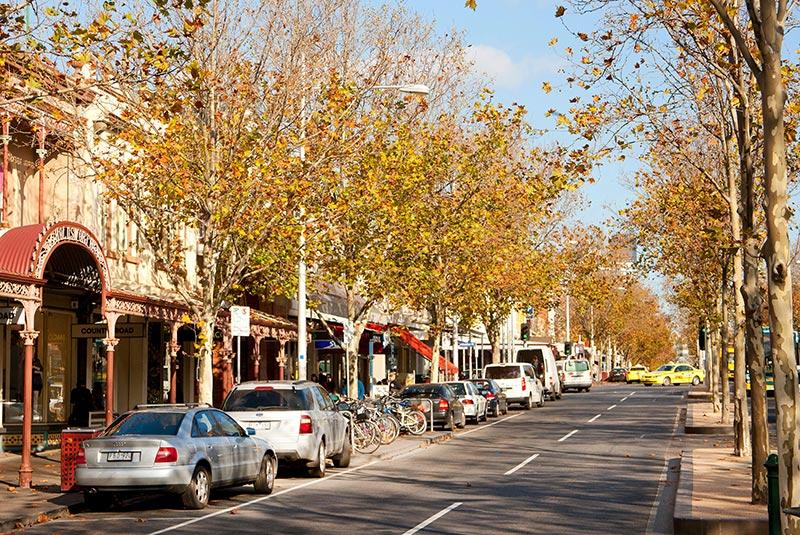
Kerbside parking is in high demand in our capital city.
Parking signs set kerbside conditions to keep people, goods and the city economy moving. They also accommodate short stays where possible.
Longer parking time limits are available outside the central city and in more than 130 off-street car parks.
Common kerbside parking conditions in the municipality are summarised below.
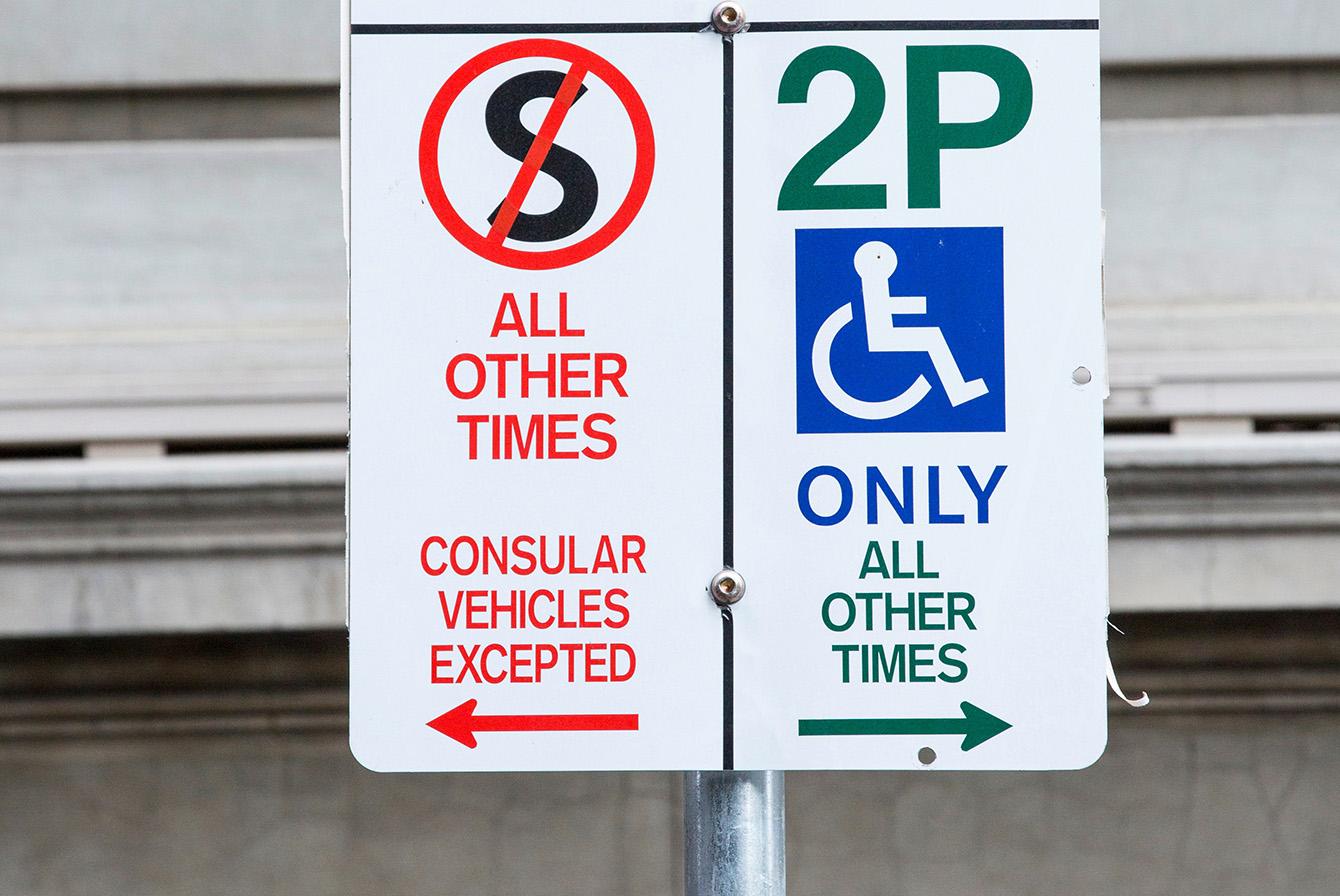
There are designated parking spaces for vehicles displaying an Australian Disability Parking permit.
These spaces provide convenient kerbside access for people with disability.
Vehicles displaying an Australian Disability Parking permit or Double Time permit can also park for double the time shown on general ‘green signed’ parking spaces.
How to find accessible parking
These are spaces with ‘No Parking’ signs, where you can stop to drop off or pick up passengers.
‘No Parking’ areas have signs displaying the letter ‘P’ with a line through it.
You can stop for up to two minutes at a ‘No Parking’ sign if you stay with your vehicle.
These spaces support the changing way people come into and leave the municipality.
For more information, see Parking to pick up, drop off and deliver.
Designated spaces where eligible goods-carrying vehicles can park for up to 30 minutes to make deliveries or provide services.
Trucks, ‘G’ code registrations (goods vehicles), courier and delivery vehicles (with compliant signage) can park in a ‘Loading Zone’.
These spaces make sure businesses can rely on timely deliveries and provide access for service vehicles.
For more information, see Parking to pick up, drop off and deliver.
General ‘green signed’ parking spaces where you can park for up to the time limit shown on the sign (indicated by e.g. ‘2P’ on the sign).
Many ‘green signed’ spaces also require you to pay a fee (indicated by ‘meter’ on the sign).
We waive the fee for short stops of up to 15 minutes if you use EasyPark. Read more in Free parking for up to 15 minutes.
If kerbside parking time limits aren’t long enough for you, find out more about off-street parking.
Various zones provide designated spaces for vehicles or uses that need to park at the kerbside.
These are ‘red signed’ spaces and include:
- Bus Zone
- Taxi Zone
- Mail Zone
- Permit Zone, for vehicles displaying the type of permit indicated on the sign.
Where possible, we set conditions to allow these spaces to be used for general parking when the special use is not required.
Parking fees
Fees apply to park in around 11,000 of our general ‘green signed’ kerbside parking spaces.
You must pay parking fees if the parking sign states ‘Meter’.
Different rates apply if you are parking inside or outside the central city.
If you use the EasyPark app you’ll pay nothing for a short stop (up to 15 minutes) in any metered parking space, like ‘2P Meter’.
Simply park and start a parking session in EasyPark, and stop that session when you leave.
If you’re in and out within 15 minutes, we’ll waive the parking fee*.
* Fees are charged for all parking time if you park for more than 15 minutes.
More information
- Up to 15 minutes are available free in each EasyPark area number, each day.
- You can use 15 minutes free multiple times each day, provided you’re in a different EasyPark area number each time. Ideal for delivery drivers, couriers or ride share operators needing to stop in many different areas during the day.
- If you need to use the same EasyPark area more than once each day, you can use your daily 15 minutes in that area, in parts – such as five minutes in the morning, and five minutes in the afternoon. Great for parents, partners or car poolers who need to drop-off and pick-up each day from the same area.
- Just remember to always have a valid, active EasyPark session.
The central city includes the Hoddle Grid between Spencer and Spring streets. To the north, the area extends to Dudley, William and Victoria streets. To the south, the area extends to Clarendon Street, City Road, Southbank Boulevard and St Kilda Road. To the west, the area includes Siddeley Street in Docklands.
Based on the demand for kerbside parking, time limits inside the central city support short-term parking up to two hours.
The fee type reflects demand and is based on the day of week and time of day.
Fees apply to all short-term kerbside parking within the Hoddle Grid.
| Time of day | Fee type | Fee per hour |
|---|---|---|
| Weekdays before 7pm | Peak | $7 |
| Weekdays after 7pm | Off-peak | $4 |
| All weekend | Off-peak | $4 |
Time limits are often longer outside the central city depending on the demand for kerbside parking.
The fee type reflects demand and is based on the day of week and time of day.
| Time of day | Fee type | Fee per hour |
|---|---|---|
| Weekdays before 7pm | Peak | $4 |
| Weekdays after 7pm | Off-peak | $2 |
| All weekend | Off-peak | $2 |
| All day areas (P Meter) | Off-peak all day | $2 |
A flat fee applies for parking at Melbourne Zoo.
| Parking space time limit | Total fee |
|---|---|
| 5 hour | $2 |
New parking meters at Melbourne Zoo operate using vehicle registration details, so you no longer need to display a printed ticket in your car. Simply follow instructions on the parking meter.
There is no change if you pay for parking with the EasyPark app.
How to pay
You can pay for kerbside parking in a number of ways including cashless payments (pay by phone), credit card and coins.
Cashless (pay by phone) parking requires the EasyPark app.
All meters also accept payment via a digital wallet (for example, Apple Pay or Google Pay).
- Set up your account
- You’ll need your phone number, vehicle registration and payment details.
- Register for EasyPark by downloading the app (for iPhone External link or Android External link) or calling 1300 734 070.
- Add your vehicle registration to EasyPark. Make sure to check you’ve correctly used the number zero (0) and the letter o (O), and the number one (1) and the letter i (I).
- Start your parking session before you leave your vehicle
- Open the EasyPark app
- Enter your phone number, vehicle registration and payment details.
- Enter the four-digit parking zone number (found next to the applicable parking sign).
- Select the time you wish to park.
- Tap ‘Start parking’ to start a session.
- If you need to park for longer
- You can open the app and extend the end-time.
- You must not park for longer than the time limit shown on the parking sign (for example, for more than two hours in a ‘2P’ area).
If you still need to park for longer, you must move your vehicle to a new parking area.
- Stop your parking session
- Your session will stop automatically at the time you select.
- If you’re leaving the parking space early, open the app and tap ‘Stop parking’ or call 1300 734 070 to stop your session.
- If you have a problem with EasyPark
- Call 1300 734 070 or email customer.service@easypark.com.au
If you experience a problem with a parking meter, you can report it.
Instructions to report a fault are on each machine.
If the machine is out of order, the time limit on the parking sign still applies.
Send a report via SMS to 0428 555 123 and include:
- the machine identification (ID) number
- your vehicle registration
- a brief description of the fault.
All parking meters accept payment by credit card and digital wallet (for example, Apple Pay or Google Pay).
Some meters are cashless and accept only credit card and digital wallet payments.
To pay using cash, there is always a meter nearby that accepts coins (generally within 50 metres of a cashless meter).
If a credit card or digital wallet reader is not working, you must pay using coins.
You must not park for more than the time limit shown on the parking sign. That time starts when your car stops in the parking space.